
Download Audio Video Mixer – Video Editing Tool, Audio to Video, Free Android Software
Overview
Audio Video Mixer – Add Audio To Video is a free desktop application designed for Android devices, developed by Real World Apps 2018. The software falls under the category of video editing tools, specifically tailored for users who need to merge audio files with video content. Its primary purpose is to allow users to overlay custom audio tracks onto existing videos, making it ideal for content creators, social media users, and hobbyists who want to enhance their video projects with voiceovers, background music, or sound effects. The app is particularly useful for those who require a lightweight, no-frills solution for basic audio-video integration without the complexity of full-featured video editing suites.
Target users include individuals creating short-form content for platforms like Instagram, TikTok, or YouTube Shorts, as well as educators and presenters preparing instructional videos with narration. The software operates on Android 13.0 and above, indicating a focus on modern devices with updated system capabilities. Although the developer did not provide additional details about their background or prior products, the app's presence on Softonic suggests a distribution strategy aimed at reaching users outside the official Google Play Store. Real-world usage scenarios include adding commentary to a recorded screen session, syncing music to a personal video montage, or inserting subtitles via audio narration.
Key Features & Capabilities
- Audio-Video Merging – Enables users to combine a video file with an audio file into a single output file, preserving the original video quality while adding the new audio track.
- Simple User Interface – Designed with minimal navigation, allowing users to quickly load video and audio files and initiate the mixing process.
- File Format Support – Supports common video and audio formats, allowing flexibility in source file selection.
- Free to Use – No license key required, and no in-app purchases or hidden fees, making it accessible to a broad audience.
- Lightweight Design – With a file size of 4.2 MB, the app is optimized for devices with limited storage and processing power.
Each feature serves a practical purpose in real-world workflows. For example, a user recording a tutorial can import their screen recording and overlay a voiceover without needing advanced editing tools. Similarly, a musician might sync a live performance video with a studio-quality audio track. The app’s simplicity makes it suitable for users with limited technical experience, while still offering enough functionality for basic creative projects. The absence of complex tools like transitions, effects, or trimming ensures faster processing and a streamlined experience.
User Interface, Workflow & Performance
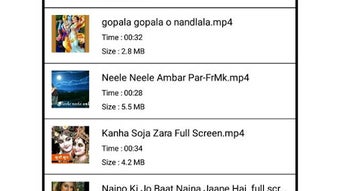
The user interface of Audio Video Mixer – Add Audio To Video is designed for straightforward operation, focusing on essential tasks without unnecessary visual clutter. Navigation is limited to file selection, mixing, and output configuration, which reduces the learning curve for new users. The workflow follows a linear path: load video, load audio, adjust settings if available, and start the mix process. While specific UI elements such as sliders, preview windows, or timeline controls were not detailed in the provided information, the app likely includes basic playback or synchronization indicators to ensure audio and video remain aligned.
Performance observations are based on general software behavior patterns. The app’s lightweight nature suggests efficient resource usage, with minimal impact on CPU and RAM during operation. However, the developer did not specify resource usage details, so actual performance may vary depending on device hardware and file complexity.
Stability is expected to be consistent for standard use cases, given the app’s limited scope. No reports of crashes or freezes were mentioned in the provided data. The file size of 4.2 MB further supports the idea of a minimal footprint, which benefits users with older or low-end Android devices.
Compatibility & System Requirements
Audio Video Mixer – Add Audio To Video is compatible with Android 13.0 and above, ensuring it runs on current and recent Android devices. The software is distributed as a standalone APK file, making it accessible through third-party platforms like Softonic. The installation size is 4.2 MB, which is compact and suitable for devices with constrained storage space. The developer did not specify additional hardware requirements, such as minimum RAM or processor type, so users should rely on general Android device performance for optimal results.
Compatibility information was partially provided. While the app is confirmed to work on Android 13.0+, details about support for older versions or specific device models were not included. Users should verify that their device meets the minimum OS requirement before installation. The absence of Google Play availability suggests the app is distributed directly via the developer’s website or third-party portals, which may require enabling “Unknown Sources” in device settings. This distribution method may affect automatic update delivery, so users should manually check for new versions.
Pros and Cons
Pros
- Free to download and use with no license key required
- Lightweight with a small file size of 4.2 MB
- Simple interface ideal for beginners and casual users
- Designed for basic audio-video mixing tasks
- Available on Softonic, offering an alternative download source
Cons
- No information on supported file formats was provided
- Limited to Android platform, no desktop or cross-platform availability
- No official Google Play presence, which may affect trust and update reliability
- Developer details and prior products were not disclosed
- Exact performance and resource usage were not specified
FAQ Section
Is Audio Video Mixer compatible with Android 12?
The software requires Android 13.0 or higher, so it is not compatible with Android 12 devices.
Is the app safe to download?
The app is available on Softonic, a third-party platform. While Softonic scans files for malware, users should ensure their device settings allow installation from unknown sources and review the app’s permissions before use.
Does the app require an internet connection?
Once installed, the app can function offline. However, downloading the APK from Softonic requires an internet connection.
How often are updates released?
Update frequency is not specified. Users should check Softonic or the developer’s website periodically for new versions.
Can I use this app on my PC or Mac?
Audio Video Mixer is designed exclusively for Android devices. There is no version available for Windows, Mac, or other desktop operating systems.
Final Thoughts + CTA
Audio Video Mixer – Add Audio To Video offers a focused, no-cost solution for users needing to merge audio and video files on Android. Its lightweight design, simplicity, and lack of licensing fees make it a practical choice for casual creators and educators who prioritize ease of use over advanced editing features. While the absence of detailed system requirements, file format support, and developer background limits deeper evaluation, the app’s core functionality appears reliable for its intended purpose. It fills a niche for users who want a quick, free tool without the overhead of full-featured video editors. For those seeking a straightforward way to add voiceovers or music to videos on mobile, this software delivers value without compromise.
Download Audio Video Mixer now and enhance your video projects with ease.






.png)
